
No Apple Cash needed
Split a bill without Apple Cash
You do not need Apple Cash to split a restaurant bill. One person scans the receipt with SwipeSplit and shares a link. Everyone taps what they ate on their own phone, then pays back with Venmo, Cash App, Zelle, or cash.
-
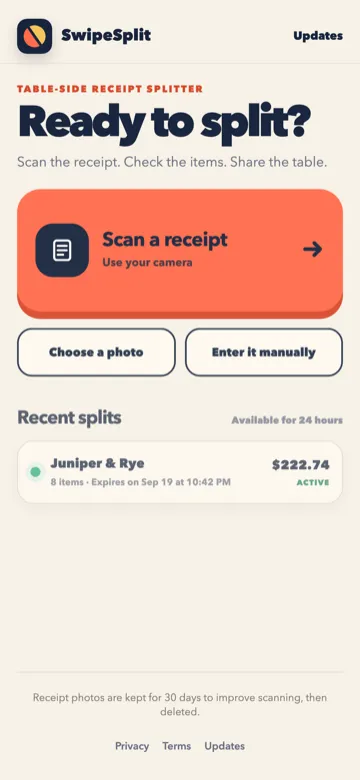
Scan the receipt
One person takes a photo of the check. SwipeSplit reads the lines so nobody types the bill.
-
Share the link
Friends open it in any browser, on iPhone or Android. No account required.
-
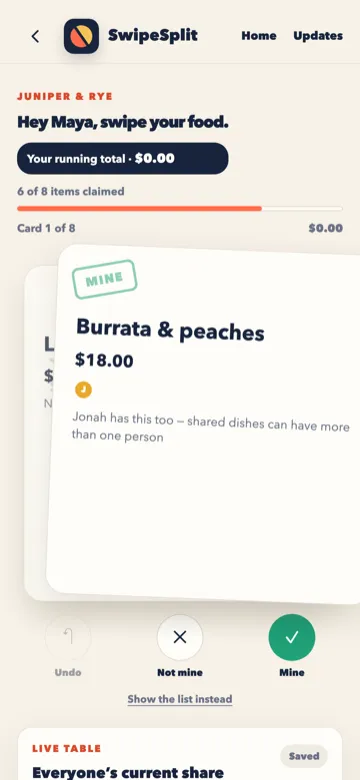
Tap what you ate
Shared plates can be claimed by more than one person. Tax and tip split by what each person ordered, exact to the cent.
-
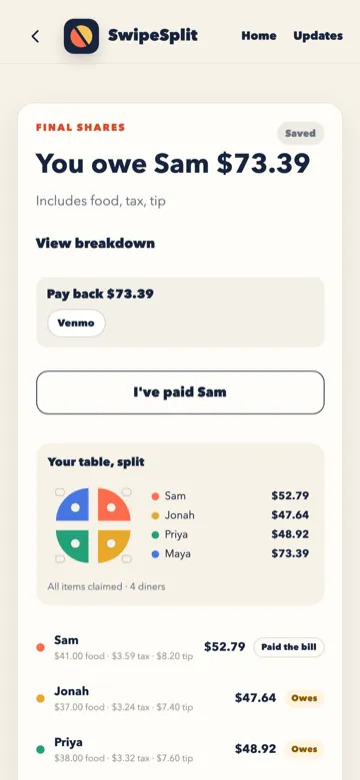
Pay back your way
If the person who paid adds their Venmo or Cash App name, your pay button opens that app with the amount filled in.
Questions
Do my friends need an account?
No. They open the link, type their first name, and tap their dishes.
Does SwipeSplit move the money?
No. It works out what each person owes, to the cent. You pay with the app you already use.
What does Apple's Split Bill need?
Apple says it needs Apple Cash set up, and it works only in the 50 United States, the District of Columbia, and Puerto Rico. Scanning a receipt needs an iPhone or iPad with Apple Intelligence and Siri turned on.
What if one friend does not have Apple Cash?
Apple's support page does not say what happens in that case. With SwipeSplit it does not matter. Anyone with a phone and a browser can join.
What happens to the receipt photo?
Receipt photos are kept for 30 days to improve scanning, then deleted. The table itself is gone in 24 hours.
Apple, Apple Cash, iPhone, Messages, and Wallet are trademarks of Apple Inc. SwipeSplit is not made by or connected to Apple. Apple details checked September 21, 2026 on Apple's support page and Apple Newsroom.